Easter Egg Crash is my entry into the Knox Game Jam 2026 game development competition. This is my fourteenth consecutive year doing a 48 hour game jam. My first game jam entry was Amish Brothers back in 2013.
We had a kickoff for the event with some of the game developers in Knoxville on Friday. It was good to see everyone at the annual get together. At the meeting, we put all of the themes on a virtual wheel and spun it which is always fun. The theme for this year’s Knox Game Jam was limited resources.
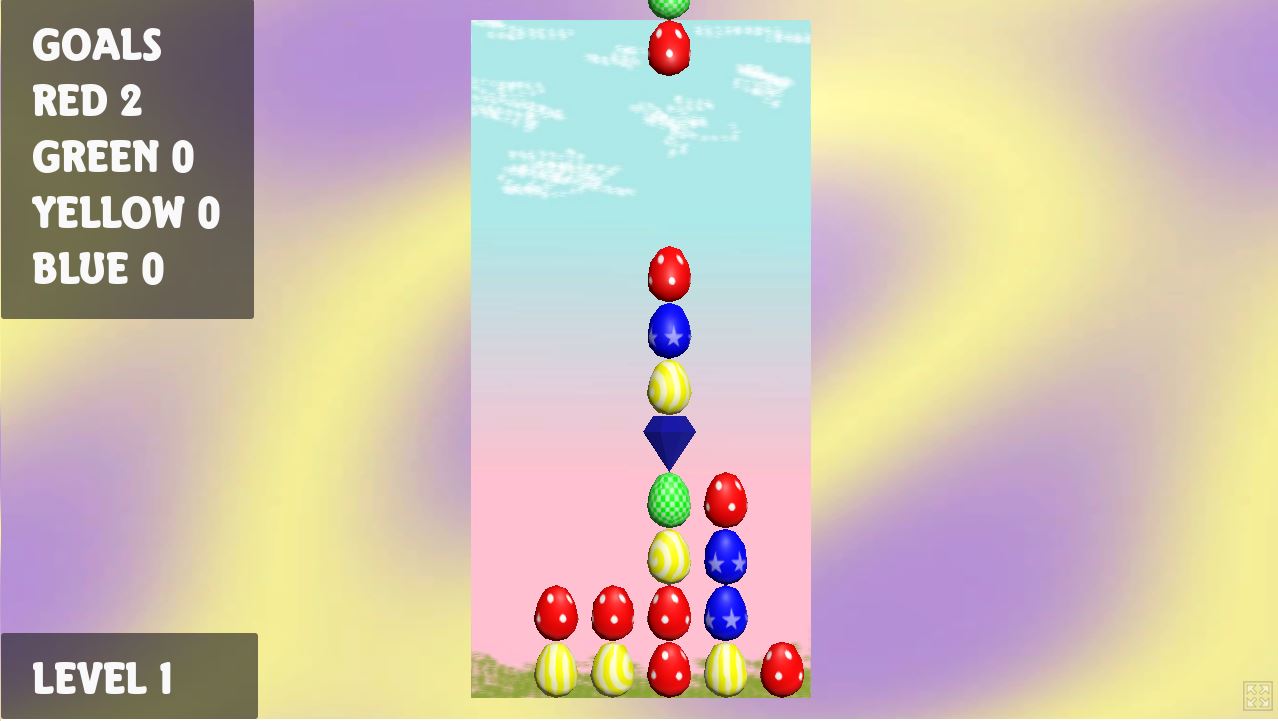
Since this was Easter weekend, I decided to create an Easter themed game. I had previously made Easter Egg Hunt, which is a competitive scramble to collect eggs of the specified colors. For this game jam game, I decided to make a puzzle in the style of Puzzle Fighter, but with colored Easter eggs instead of gems. I thought about having a limited number of eggs to fit the theme. Instead of fighting an AI controlled character, this game has set goals similar to a game like Candy Crush. Currently, you just have to clear 5 eggs of each color, which increases by 5 for every level. The diamonds that clear the eggs of matching color do not count toward the goal total.
The objective is to connect eggs of similar color, and then use a diamond to clear the eggs matching the diamond’s color that are adjacent above, below, to the left, and to the right (diagonals do not count). When eggs and diamonds are cleared, all of the eggs above will fall similar to other falling block games. The trick is that you can create combos by strategically placing diamonds on other eggs to be cleared. In this game, combos don’t provide any extra benefit, but could be used as a goal in a future version.
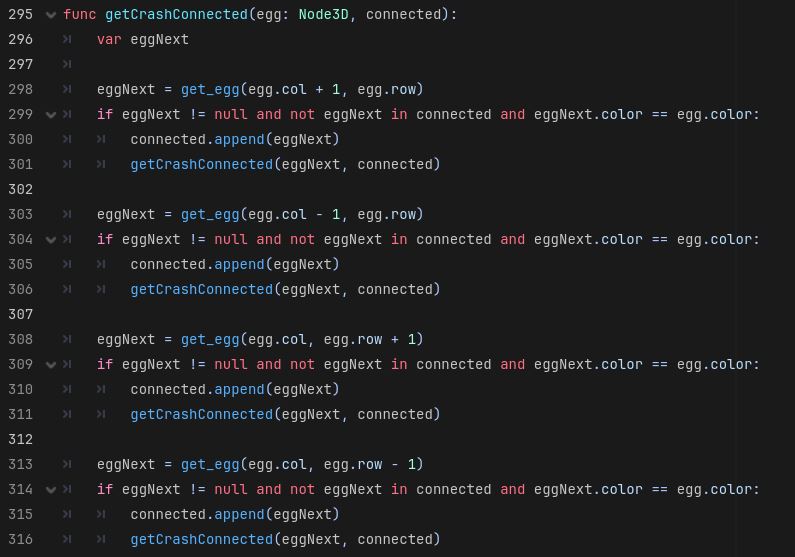
This style of puzzle game is good recursion coding practice. I have a board data structure, which contains all of the landed eggs (diamonds are also considered “eggs”). Whenever an egg pair lands, it gets added to the board data structure. One of my biggest gripes with GDScript is that it does not have a 2D array data structure, but I was able to figure out how to simulate one with a list and get/set methods passing in the row and column indexes. Basically row is the list index divided by row size (rounded down) and column is the list index modulus the row size. After the eggs are added to the board, the doCrash method is called which checks all of the eggs on the board. If the egg is a diamond (isCrash boolean is true), then it finds all of the of the adjacent eggs. It is basically the painting algorithm that I covered on a Knox Game Design podcast a while back. If an adjacent egg is the same color then it gets added to the “connected” list, then the getCrashConnected is recursively called for all eggs adjacent to it. The recursion stops when it the adjacent cell it not of the same color, it hits one of the boundaries, the adjacent cell is empty, or the adjacent cell has an egg that has already been added to the adjacent list. The last check is really important, otherwise you will end up in an infinite recursion loop. The nice thing about this method is that the connected list ends up with the entire list to be cleared, so after the recursion is finished, you just loop through that list and remove those eggs. Once the eggs are removed, the other eggs are then dropped, then the crash check is completed again, in case that there is a combo. The loop completes when the crash check returns no eggs to be removed.
Looking back, I should have used an enum for the egg color instead of using an integer. Creating random integers is easy. The statement randi() % + 1 returns a random number between 1 and 4. I created an Egg prefab, which has all of the egg and diamond models as children. Initially all model objects on the Egg prefab are hidden, then one is set to visible based on the egg color and type (diamond if isCrash is true or egg if isCrash is false). If this was an object oriented, I would have made Diamond a subclass of Egg, but I’m not sure if that is possible to do in GDScript.
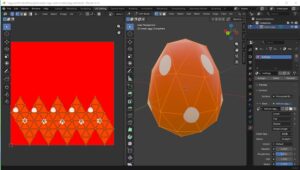
I created the egg and diamond models in Blender 5.1. For the egg, I used used the default ICO sphere mesh and translated the upper vertices upwards to give it more of an egg shape. I just winged it and didn’t use any reference pictures, since I know what an egg is supposed to look like. I exported the layout and made textures in Gimp. I just made simple polka-dots, checkerboards and spirals using Gimp filters. I used a star pattern from a memory card game I had developed to create the star shape on the blue egg pattern. I should have used one egg model and swapped the texture based on egg color, but I did not have time to figure out how to do that in GDScript.
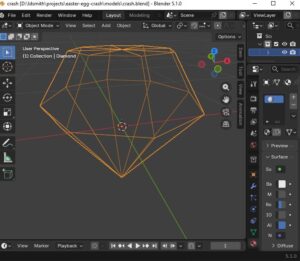
For the diamonds, I used the Extra Mesh Objects addon to add a Gemstone > Diamond mesh. It seems like it was made for this sort of thing. I used it in my Jewel Swapper game years ago.
For the music, I went with GarageBand on the MacBook Pro again. I was able to create game play and title music in about an hour. I used bfxr for the sound effects. If I had more time, I probably would have done something a little more unique for the sound effects.
The background image for the title screen and gameplay was created in Krita, using a simple gradient. I used one of the brushes with green to make a grass type background around the border. I originally had a green splatter background for the game screen, but it just did not look good, so I ended up going with Gmip’s Render > Pattern > Sinus and gave it Easter theme colors.
This was my first time finishing a game in Godot Engine for a game jam. Previously, I started a Godot game which ended up being Shape Quest in GameMaker. I also made Sky Combat in Godot, but it was not for a 48 hour game jam.
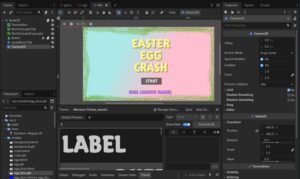
I was impressed to see the improvement in Godot. The 2D UI system it much better than I remembered, but still not at the level of Unity. The GDScript programming language it uses reminds me of the syntax of Python (indentation spacing is important) but also has typing that reminds me of Typescript. After I uploaded my game, one problem I noticed was that the title screen would not fill the entire space allocated for the game on some systems. It did not appear to be a browser problem, because all browsers on one system would display it correctly, but when I ran it on a laptop all of the browsers would display a small title screen with a lot of gray background. I found that the fix to the was creating a Camera2D node, setting the properties for it, and then resizing the 2D UI components for the Camera2D.
I am definitely thinking about developing this game further. I’ve already made one update, so that the eggs now scale down when they are cleared. I really want to have a cell fracture type effect, but I’m not sure if that still exists in Blender, and I would need to learn how to play model animations in Godot. I would like to add new goal conditions, so that there are maybe other types of eggs that must be cleared. I think the base gameplay in the game jam is solid, so adding additional features should not be a problem.