Bomb Squad – Developer log

This is my second time participating in the official Ludum Dare competition. Overall, I feel like my skills with Unity have significantly increased since the last competition, when I submitted Amish Brothers. Since the last competition, I have submitted a game to each mini-LD, and each game developed taught me something new about Unity.

This time around, the theme was “10 seconds”. My idea was a game where you play as a bomb squad technician, where you have 10 seconds to disable each bomb. If the bomb explodes, the objects around it will be propelled away and add to the property damage value. The objective is to keep the property damage as low as possible, while avoiding bomb blasts which damage your suit. If your suit reaches zero percent, then the game is over. Additionally, you must “cut the wire” that matches the color of the bomb, otherwise the bomb will explode and you will take damage. For more details on my design decisions, see my Bomb Squad Day One entry.
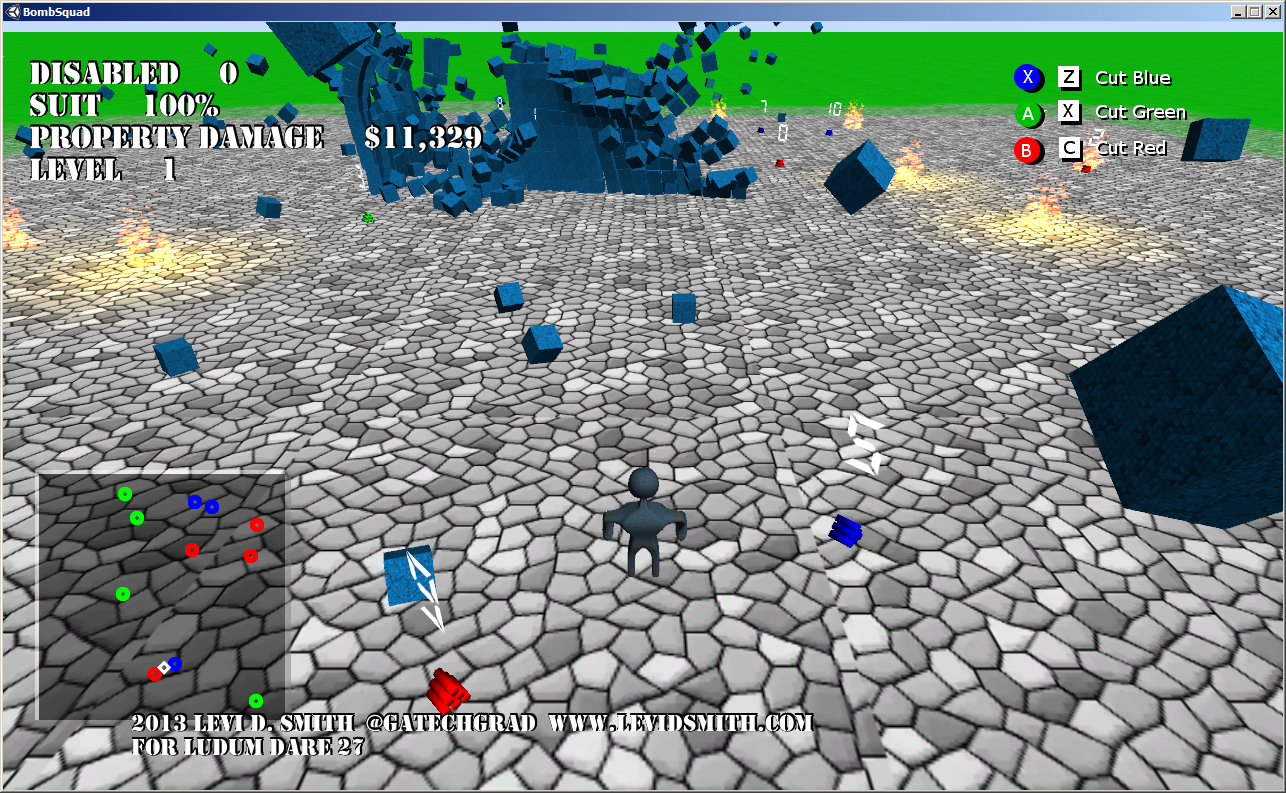
Bomb exploding next to a wall

For this game, I knew I wanted to use Unity’s physics engine for handling the explosions. I first started learning about Unity’s physics engine when I developed Earthball for the mini-LD42. When the bomb explodes, it applies an explosive force to all of the objects in the game, including the player. I found that this starting causing problems when there were over about 600 objects in the scene. When the objects were exploded and scattered everywhere, the slowdown didn’t occur. It was only when the objects were stacked, which I believe is because when the objects are stacked, they are continually colliding with each other, which requires a significant amount of processing power. The player is also affected by bomb blasts, but I feel that if I learned how to use the “ragdoll” physics in Unity, the effect would have been much more impressive. Currently, the player just has a cube bounding box, so the player looks very stiff when thrown by an explosion.

The ground is just a terrain object (like I used in the test Giga Guy game that I developed), but I always have issues with my models falling over when going up the terrain, therefore I just left the game area flat. However, I was able to use the blended terrain textures to make the ground look much more pleasing.

I used Blender again for rendering my models. There were really only two models that are in this game, which are the player and the bombs. From my LD27-warmup game North Avenue Adventure, I learned how to properly project my mesh to a 2D layout, and how to modify the unwrapped vertex “islands” properly to generate an image layout to be textured in Gimp. I am happy with the model that I created, but I would like to go back and add more details later. However, I found that it can be difficult to modify a model in Blender once all the modifiers (mirror, subdivision surface) have been applied and the armature added. I also think I could have done a much better job on the bomb model, since it is just a stack of cylinders. A spark particle system on the bomb would also be a nice touch.

My mini-LD43 game, Marching Band Simulator 2013 taught me more about composing music in games. However, for Bomb Squad I decided to go with Garage Band on my Mac laptop for composing the music. In my previous entries, I have used PxTone Collage which is a great tool, but the blips and bloops it uses cannot compare to the music that can be created with Garage Band. For the complete soundtrack, please visit my Sound Cloud page. The only problem with Garage Band is that I had to export my songs to iTunes to get the audio file, and then copy it over to my development system. It is a bit of a hassle, but I think it is worth the extra effort.

Another game I created in Unity for #1GAM was called Genetic Disorder, which is where I learned how to make the text meshes for the title screen using Blender. It’s a fairly simplistic process, but the number of vertices must be reduced otherwise the model file size will end up being huge.

Text mesh zooming in on title screen

For the 7dRTS challenge, I created a game called Ninja Squad Commander, where I learned many more Unity tricks. First of all, it taught me how to center a text object over a model, and how to make the 3D text sharp (by default the 3D text will be blurry). This was used in Bomb Squad to display the number of seconds until explosion over each bomb. In that game, I also learned how to make detailed particle systems, like the fire effects, using Gimp to create the fire texture using a gradient and IWarp filters. The game also taught me how to attach lights to particle systems at runtime, to give the fire a glowing effect which can be seen on objects around it. Both of these effects were used in Bomb Squad at the location of an exploded bomb. When I was developing the RTS, I also learned how to determine the distance between two objects in 3D space, since using multiple physics colliders for different events can cause problems. The 3D distance calculation was essential to determine how much damage the player would take from a blast, and how much property damage is received by an object. The distance calculation is also used to determine if a bomb is selected to be disabled. My 7dRTS game also taught me how to make a shadowed font from a text object, which made the static text in the game look much better.

The one new feature that I added that I hadn’t implemented in a previous game is the mini-map. I felt that it was needed, since the player can’t always see the entire game area, so there would be bombs hidden to the player. That problem could be helped by adding code to fix the camera behind the player, so that is something I will look into for a future release. I think the mini-map would still be beneficial, but some players noted that it makes the game a little too easy, so I may eventually take away the bomb color on the mini-map.

Honestly, I can say Bomb Squad wouldn’t have turned out as good as it did if I hadn’t created all of those other smaller games after LD26. One important factor in being successful in Ludum Dare is knowing your tools and all the tricks before the competition starts. Trying to learn new technologies during the competition is a recipe for failure.

Follow me on Twitter at @GaTechGrad and visit my website at www.levidsmith.com

Videos
 

EarthBall – Developer Log

After a less than impressive finish in the LD26 competition, I decided to develop a game for the the mini LD42 called EarthBall. I now have a little more experience with Unity after writing Amish Brothers for LD26 and Genetic Disorder for #1GAM, but I’ve still got a lot to learn.

When I saw that the theme for mini LD42 was the destruction of the Earth, I thought about the ending scene in Men in Black where the entire galaxy was contained in a sphere, which turned out to be just a marble used in a game of marbles.

Instead of using the entire galaxy, I decided to just focus on Earth. Marbles isn’t a very interesting game, so I decided to create a pinball game, since I’ve never written one before. Using the Earth as the ball and having it fall into the sun if missed by the flippers seemed to fit the theme perfectly.

I found a great tutorial video by nickdingle which stepped me through the process of making a pinball game in Unity. Of course, I wrote mine from scratch using C Sharp instead of Javascript, and only used the videos and examples as a guide. Now that I had a working pinball game, I needed to make it more interesting. The bumpers were dull, so adding planets instead for bumpers seemed to be a logical choice.

There seems to be a running educational theme in many of my games, so I decided to do some voice recording so that the name of the planet is called when the Earth collides into it. I did this using my USB headset and Audacity. I gave it more of a robotic sound by using a method explained in this video by Maniac Metro C0p. First, I changed the pitch by -25, Duplicated (Ctrl + D) twice, changed the 2nd layer pitch by 10, and the third layer pitch by -10.

As far as the graphics go, I created the starfield background using this Gimp tutorial. Next, I created the title graphics in Blender using this method described by 5teven94. I also added lights that flicker when the plunger is released and when the planets are hit. On the title screen, I added the option to disable the flickering lights for those who may be sensitive to it.

Finally, there didn’t seem to be any real objective to the game so I added a score so that points are awarded when a planet is hit. To give the game a little more of an overall objective, I added a 50,000 point bonus for hitting all of the planets. I decided to add the points scored and planets hit as displays at the end of the playing field like a pinball machine.

So like most of my games, EarthBall was a learning process. The day that I don’t learn something from making a game is the day that I quit making games.

Amish Brothers – Developer log

So when I heard that the theme for this year’s game jam was Minimalism, I immediately thought of an episode of the radio show Coast to Coast AM with Art Bell, where the episode was on minimalist societies. There are many who follow the minimalist lifestyle today, by using only the bare necessities to get by in life. However, the original practitioners of the minimalist lifestyle are the Amish. I started thinking and realized there has never been a video game about the Amish before, at least as far as I’m aware. Then I remembered the 90’s classic song Amish Paradise by Weird Al Yankovic. This could actually be an interesting premise for a game.

An Amish that would save the world using only the bare necessities. The next question is how would he save the world. Obviously an Amish would not want to hurt or kill anyone, so I decided narrow the grandiose premise of the game. Instead of the protagonist attacking others, he would be helpful.

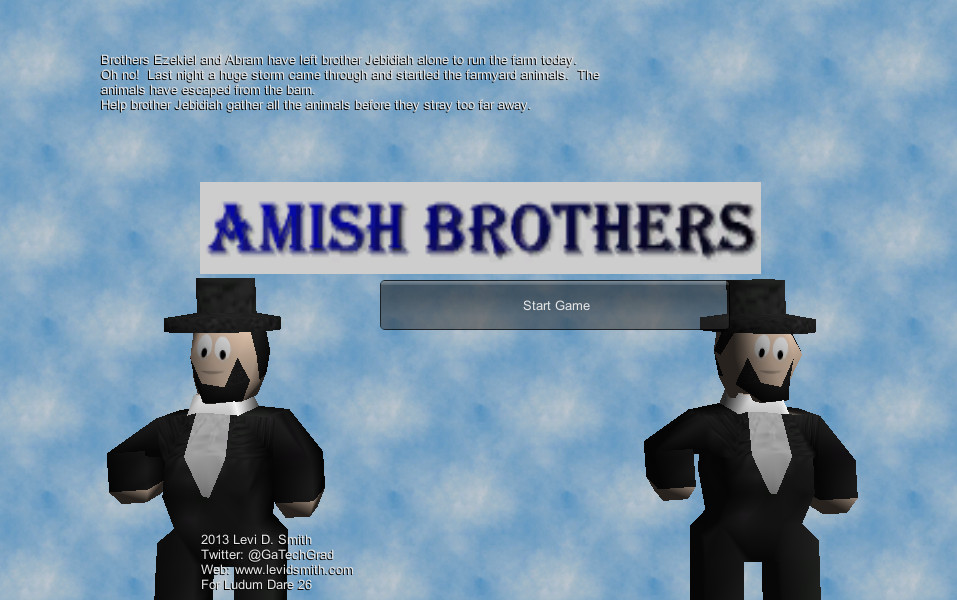
Original title screen for  compo entry

For the game jam, I knew that web is the platform that could reach the most players, so Unity was the best environment to develop a game for this competition. Not knowing anything about Unity, I started watching as many tutorial videos I could the night before the competition to give me a basic feel for using the tool. Even though I’m not a Unity guru, I’ve been programming games in my spare time since around 1995. My first epic game was Mystic Sword written in QBasic on my 386. Since then I have written games using libraries such as ClanLib, SDL, and most recently XNA for XBox Live Indie Games. Last year I released my first published game called Resistor to the masses on the XBox Live Indie Game platform. While it was praised by many XBox Indie review sites, I failed to make any monetary return since it didn’t sell enough copies to get the minimum payout. I decided to start working on a new game called Blasting Bits, which would appeal to more gamers. I worked on this platformer in my spare time for about six months, then an unexpected event occurred in my life, which made me lose my enthusiasm of developing games. However, I knew I still wanted to do the game jam competition this time, since I’ve never done it before and it seemed like it would be fun.

So after my crash course in Unity, I knew enough to move an object around and how to detect an event when that object collided with another object. Hey, that sounds like enough to make a game! Not enough to make a deep and sophisticated game, but enough to make a simple collectible game. Then I decided that the hero, who I named Brother Jedidiah, would collect sheep… because sheep are cute. After sleeping on it for a night, I thought of a simple story about the farmyard animals escaping the barn. I had planned to include other animals such as chickens, cows, and goats, which would have unique characteristics and travel patterns, but I didn’t have enough time to implement those so I stuck with sheep. I also considered adding powerups such as a butter churn to make the player run faster, but that idea got left on the cutting room floor for the sake of completing the game on time.

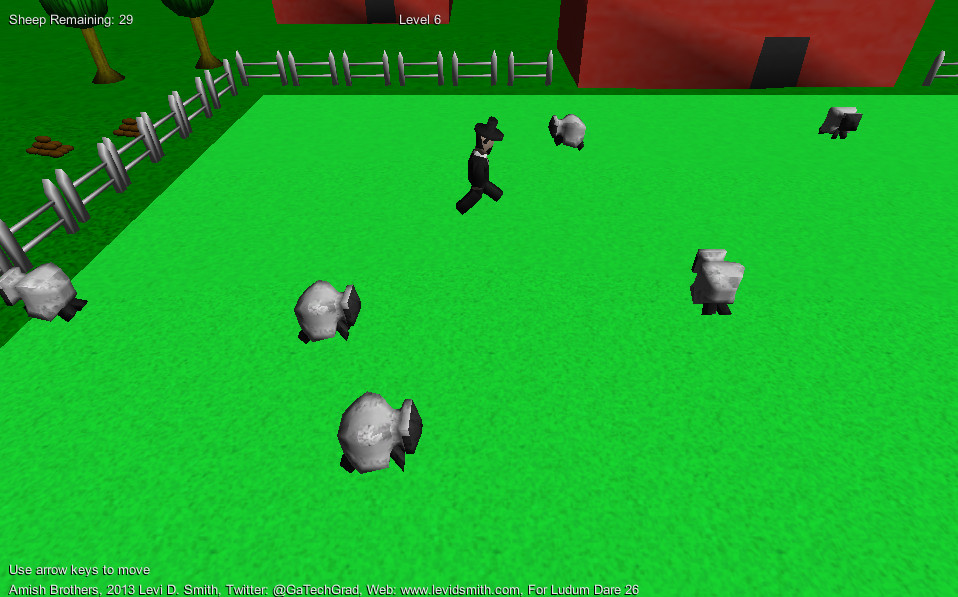
Original compo entry gameplay

I added some simple boxes to the screen that represented the player and the sheep. Then I developed a method for automatically generating the sheep, using the Prefab technique that I learned in the Unity tutorial. Next I started working on the model assets. I’ve been modeling simple objects in Blender for over ten years, so I knew I could make a player model and sheep model for this competition. The only problem was adding the models into Unity was something I had never done before. I’ve gotten animated models working in XNA before by exporting to FBX, but I never had the ability to change animation sequences. I was delighted to discover that importing models into Unity is as simple as dragging the .blend file into the Unity project. Unfortunately, my models were not animating in Unity, which had me pulling out my hair for awhile. After some searching on the Internet, I found that the Animation Type must be set to “Legacy” on the Rig tab for animations to work. Then I created a simple barn, trees, and fence to add to the scenery. Finally, I rendered a stack of potatoes as a small Easter egg, which can be seen on the left side of the farm.

For the audio, I recorded myself reading the introduction story using Audacity. I also made a “baa” sound, which I sped up and raised the pitch in Audacity to make it sound more like a sheep. Finally, I needed some music so I recorded myself playing “Old MacDonald” and “Baa Baa Black Sheep” on the guitar. I thought those songs fit the atmosphere of my game perfectly.

The level design was really simplistic, as I just increased the number of sheep for each level. Some have expressed dissatisfaction due to the lack of a lose state. However, not all games have lose states. In a racing game, you can just sit in your car forever and never reach the finish line. I feel my game is a lot like bubble wrap. You just keep popping bubbles until they’re all gone. Adding enemies such as snakes and obstacles like briars did cross my mind, but I envisioned this being a game for the entire family, so I wanted to avoid having the main character get killed. I also wanted to make mazes out of the fence, but I knew I wouldn’t be able to compete that within 48 hours. Finally, I made a victory screen and congratulations message for when the player completes all ten levels.

So that’s Amish Brothers in a nutshell. I would like to expand the game a little more to make it more interesting, but I also have a few ideas for other games I would like to start making with Unity as well.

Videos