Junk Food Blaster – Developer log

Junk Food Blaster is the first game that I’ve created using GameMaker Studio 2.  I bought this version of GameMaker from Steam during the summer sale.  I was disappointed to discover that I am not able to make HTML5 web builds, however I can make builds for Windows, MacOS, and Ubuntu (Linux).

The theme for this GameMaker game jam was “Sacrifice”.  After I had heart problems four years ago which required as stent placement, one of the things I’ve had to sacrifice is fast food.  I know some of us in the Knoxville Game Design group joked about me making a heart attack game before, so this seemed like a good opportunity to make that game.
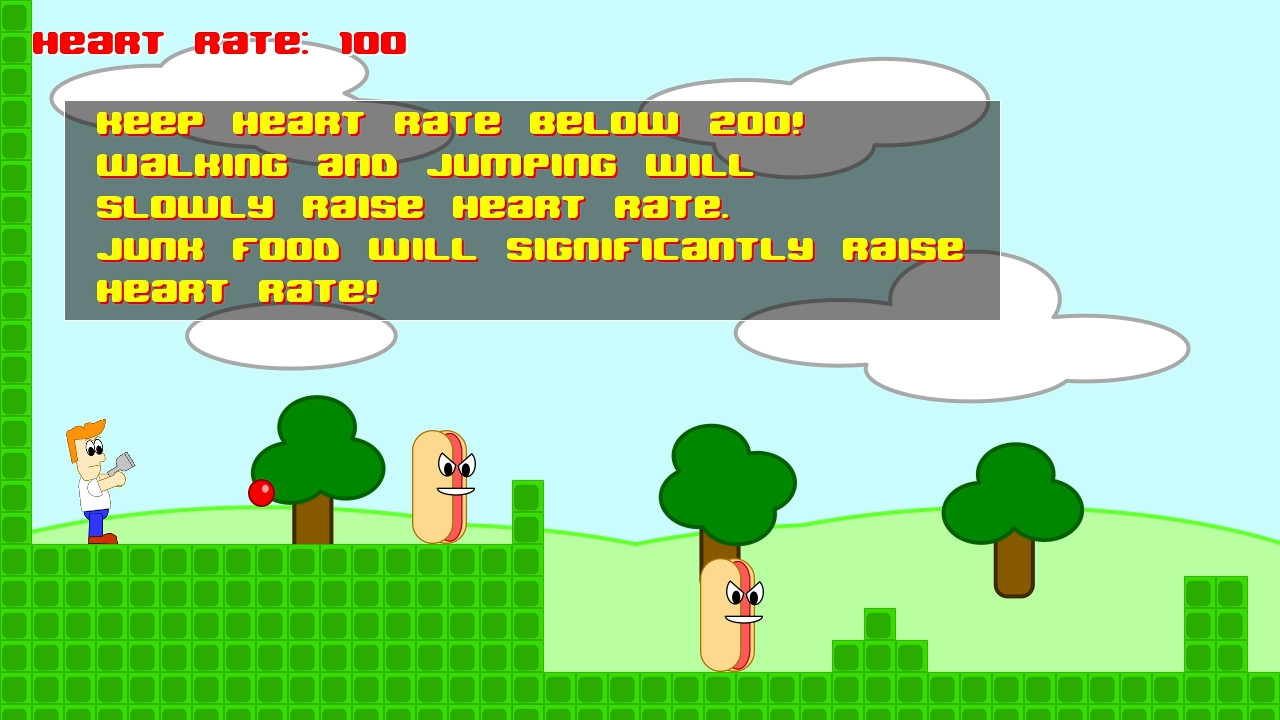
I used to eat fast food regularly, but I’ve scaled it back dramatically to avoid having heart problems again.  Going to the emergency room in the middle of the night with chest pains is not an enjoyable experience.  I was planning on having many of the types of foods that I have given up (or scaled back).  Time ran short for me on this game jam, so I only included hotdogs and hamburgers.  I was also planning on having pizza as an enemy in the game which would throw pepperonis at you.

As with other game jams, all of the assets have to be created in 48 hours, ending at 8pm Eastern Time on Sunday.  This includes art, sound effects, and music.

As with my Miner Madness game, I decided to use vector based SVG art created in Inkscape, which I animate in Spriter.  However, this time I learned how to use bones in Spriter to animate various parts.  This was necessary to keep the right arm and the gun together.
Some parts of GameMaker 2 proved to be very frustrating to me.   I liked the ability to switch between DnD (drag and drop) mode and GML code.  However, sometimes the action toolbox would not display in DnD mode.  Plus, the camera and viewport system has been completely redone, so most of the information on the Internet on moving a camera in viewport is out of date.

I didn’t like the method for navigating in GameMaker 2 either.  Too many instances of windows in windows in windows.  Moving around in the workspace felt like a chore.  There are no scrollbars, so you have to press the middle mouse button down to move around.  The zoom-in feature on the code windows was annoying, because it made some really distracting anti-aliasing effects which are fine for graphics, but makes text difficult to read in an editor.  I did finally find the magnifying glass with equal sign which makes everything in its original size.

The panning around in the workspace when selecting different objects also got annoying after awhile.  I would rather just have one window with tabs like every other IDE.

One the complaints I have about Spriter Pro is not being able to set the dimensions of the generated sprite sheet for an animation in pixels.  You have to specify the size in percentages, which means you have to figure out the size in Gimp first and use a calculator to get the percentage.  I also had issues with the animation playing too fast in the Spriter Pro editor, and it has an annoying step of pressing the set length button after setting the maximum number of frames.  It’s like my gripe with Inkscape with having to press Export to generate a png image after pressing Export As and pressing the Save button.  You would think that Save means that it is going to write the png file, but it doesn’t.

I had problems with the jump animation, because there is no straight forward way to make an animation not loop.  I had to keep track of the last frame, and then set the animation speed to zero until the player touches the ground.  The gun shooting animation had a similar issue, but I just made sure that the animation frames (15) were the same number as the shooting delay.  Since the game runs at 30 frames a second, it takes half of a second for the shooting delay.

Another issue that I had was the game looping back to the level screen after the game over screen, when it was supposed to go to the title screen.  After some thinking, I realized it was because it was registering the space key down on the frame after it was pressed to leave the game over screen.  To fix this, I put a 60 frame (2 second delay) on the title screen.  One important thing that I added was an offset to the title text based on the delay value, which makes the text rise upward.  When the title text stops, then the user can press space to load the game.  Otherwise, it will make it feel laggy because the user has no visual cue of why they weren’t able to continue by pressing space before.

I would like to add more types of food to the game as enemies.  As I mentioned earlier, pizza which would shoot projectiles.  I’m thinking about adding fries as well.  My cardiologist says that keeping my sodium intake low is one of the most important things to keeping my blood pressure low and avoiding another heart attack.  Salty foods like fries contain a lot of sodium.

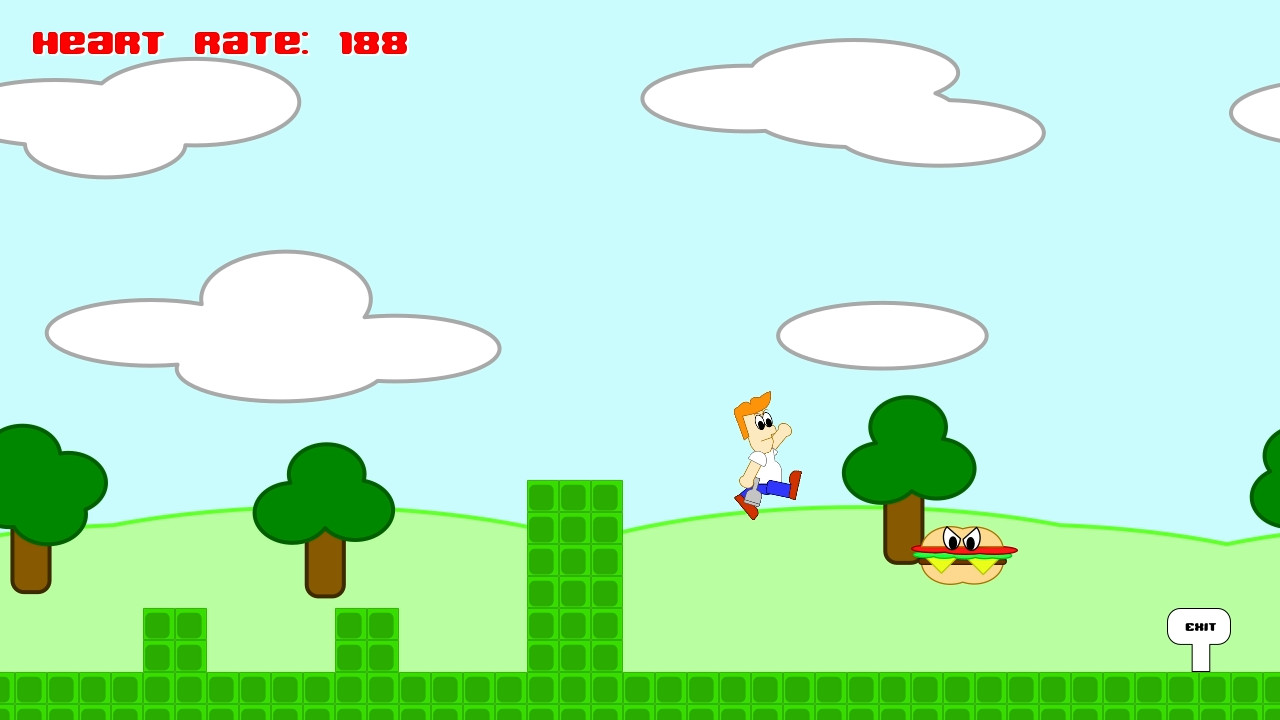
When I made the hamburger enemy, I joined two circles together and took the difference with a rectangle to make the bun.  Then I duplicated that piece and flipped it vertically to make the bottom piece of bun.  I cut a rotated square in half to make a piece of cheese.  Originally, I just had one piece of cheese, but then I added a second and it looked like fangs!  I definitely didn’t plan it that way, but it looked so good I had to keep the two pieces of cheese.

I would like to add powerups to make the gun shoot farther and maybe add other abilities.  The game needs additional levels as well, since this is probably one of my shortest games.  The problem I have with gamemaker is that the collision detection is done by specifying the name of the object, which means I would have to update the code to add a new type of wall objects.  There is probably a better way to do this that I don’t know about yet.  I know there is a tile layer, which I should probably be using instead of instantiating individual wall squares.

I used BFXR for generating the sound effects.  The enemy death sound effect reminds me of Bill Cosby’s marker sound on Picture Pages.

I felt like I could have done better with the music.  I made a slower more relaxing theme this time.  It has one background pattern then a slow moving theme.  I cut the theme a slowed the tempo for the title music.  I did have some background ambience tones, but those came out way too loud after I exported the mp3 from my MacBook Pro to my PC desktop, so I ended up removing that track.

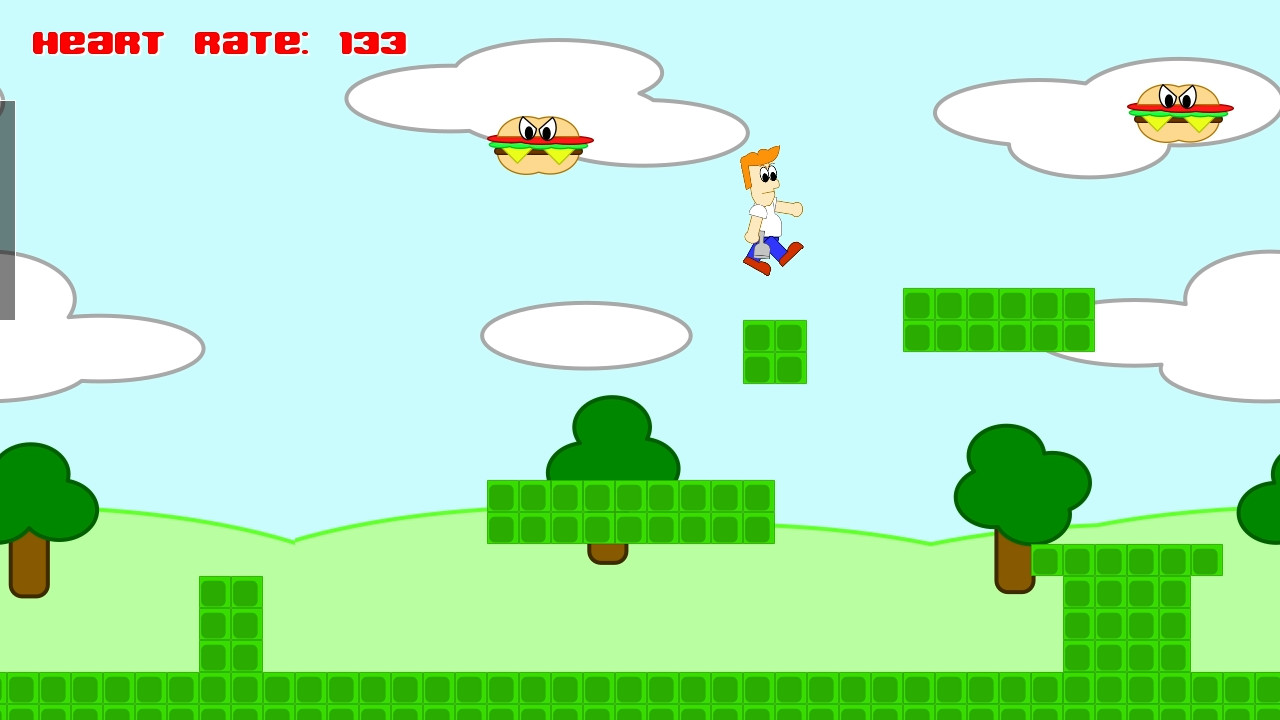
I knew I wanted to have a representation of the hearts health as the player’s life value.  I thought about using blood pressure, but heart rate seemed more appropriate.  On my last GM48 game jam, one of the categories that I was graded lowly in was originality.  So for this game I made it so that running and jumping added to your heart rate.  If your heart rate reaches 200, then it’s cardiac arrest and game over.  I originally wanted to have a graphical heart rate monitor that would speed up and possibly change color as you approach the maximum heart rate value.  If you stand still, your heart rate gradually lowers back to a minimum of 100.  Colliding with a hot dog or hamburger will significantly increase your heart rate, by 20 and 40 respectively.  Walking increases your heart rate by 0.2 for every frame.  By default, your heart rate lowers by 0.1 per frame, so I had to make walking  more than default to see an increase.  Jumping raises heart rate by 5.  Looking back, I would probably make it so that the player can’t die from walking or jumping, so that the player would actually have to collide with the enemy for the game to be over.  Otherwise it just feels strange by dying from walking or jumping.  An audio cue or speed up in game music would also let the player know they are reaching a dangerous level, although I didn’t see any way to increase the tempo or speed of the music in GameMaker like is possible in Unity.

One problem is that sometime the player can rapidly jump in the wall when holding down the jump button.  I think this is because the collision boxes on each sprite animation (standing, jumping, walking, shooting) are different sizes and there is no easy way to make them the same.  It would be nice to have just one collision box for an object, and just change the animation.  I did see an option to use a different collision box for a sprite, so I will need to learn more about that option.
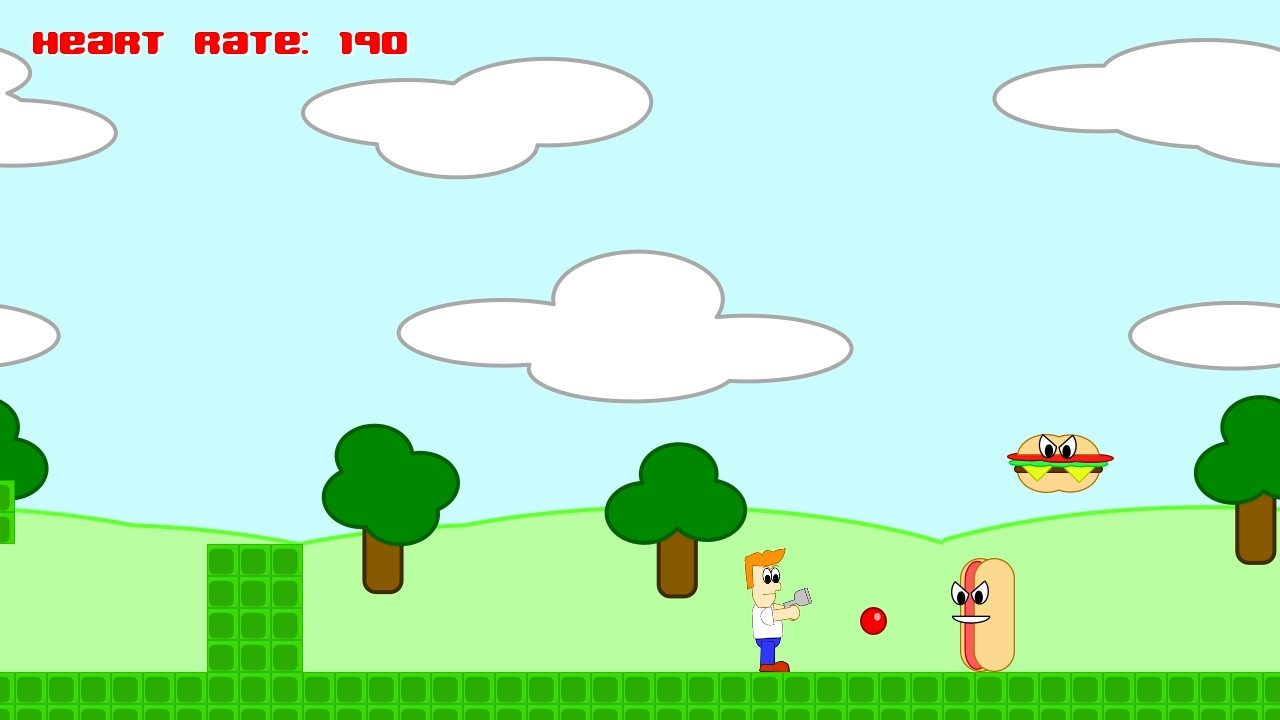
The background was also made in Inkscape.  One of the difficulties was making it wrap around.  I figured out how to make the background tile across the entire viewport.  I used the number of horizontal blocks in Super Mario Bros level 1-1 as the size of my level.  I had to adjust the horizontal size of my viewport to take account of the larger size of my times.

I figured out how to get the camera to follow the player by enabling the viewport and setting the appropriate camera size and setting the player object as the thing to follow.  The difficult part was getting the status text with the heart rate value to anchor at one spot on the screen, since it wanted to scroll with everything else.  After much trial and error, I finally found the correct values to use camera_get_view_x(camera_get_active()).  If you want the text to follow the player, you can just use the player object’s x value.
World Fighter – Developer log

World Fighter, The Cosmic Warrior was my thirteenth game developed for the main 48 hour Ludum Dare game development competition.

Dylan, Joe, and myself got together at Panera on the Friday night before the competition for a Ludum Dare kickoff.  We speculated about what the theme would be.  In previous competitions, we could get an idea of what the final contenders would be based on voting in previous rounds.  However, those metrics are no longer available, so it was anyone’s guess.

My previous two games that I had developed over the past month were both collectible games.  Note Chomper was a 2.5D Pac-Man clone that I developed for the MiniLD #73.  Miner Madness was a platformer that I developed in GameMaker for GM48 where you avoid the bats and collect the gems.  I knew I wanted to develop something for this competition where you attack and blow things up.


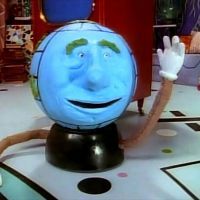
One of the themes that caught my interest was “A Small World”.  As with some of my previous entries, such as One Gunman, I knew I could take the theme and make it the protagonist of the game.  I told our group that I was thinking that I could make a fighting game, with a character like Globey from Pee-Wee’s Playhouse as the main character.  He would fight other planets across the universe.

My original idea was a fighting game similar to Street Fighter II.  The title is a play on “Street Fighter, The World Warrior”.  At first, I thought about just switching the words “street” and “world”, but “The Street Warrior” really didn’t fit when I decided that the environment would be space, so I decided to go with “The Cosmic Warrior”.  I had never made a beat ’em up game, so I decided to make the game similar to classic arcade games like Final Fight or Double Dragon.

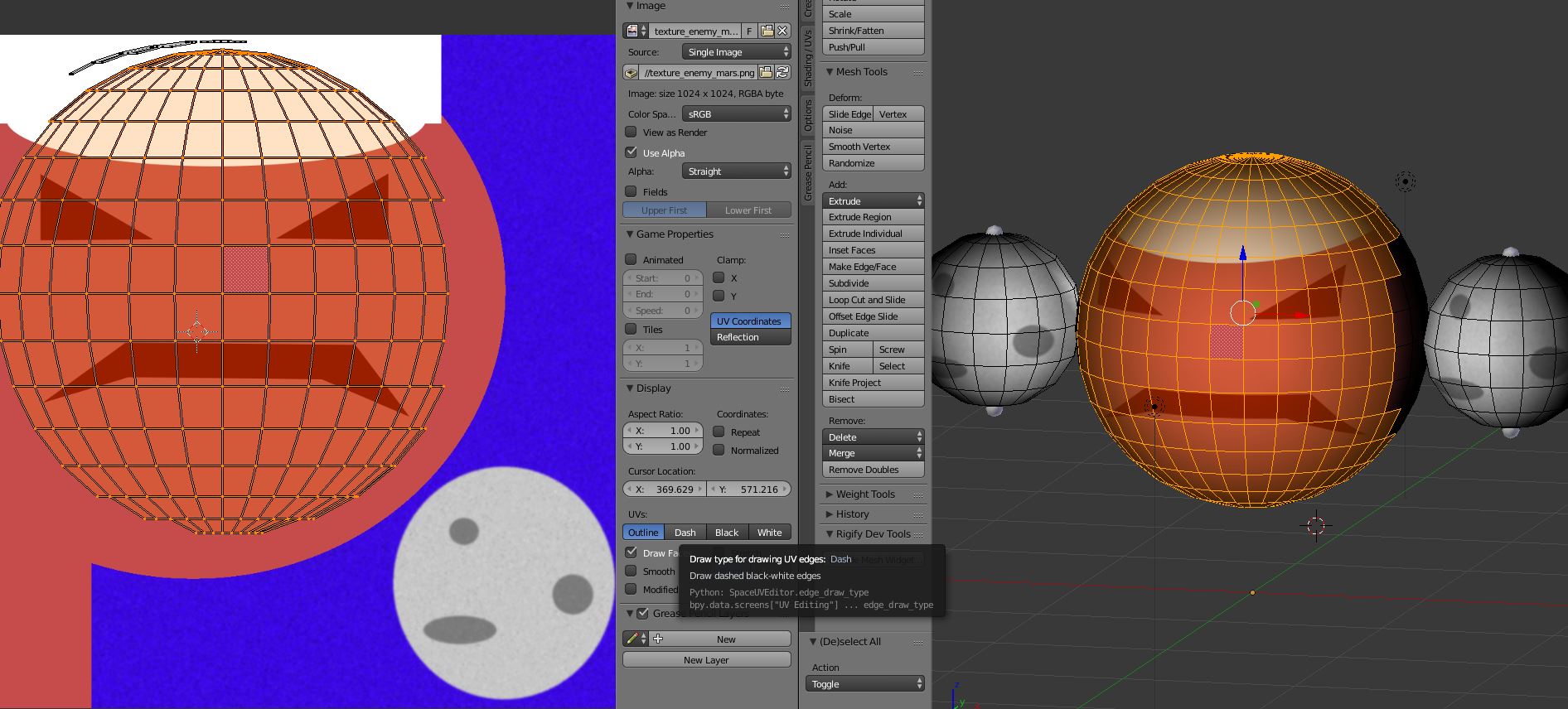
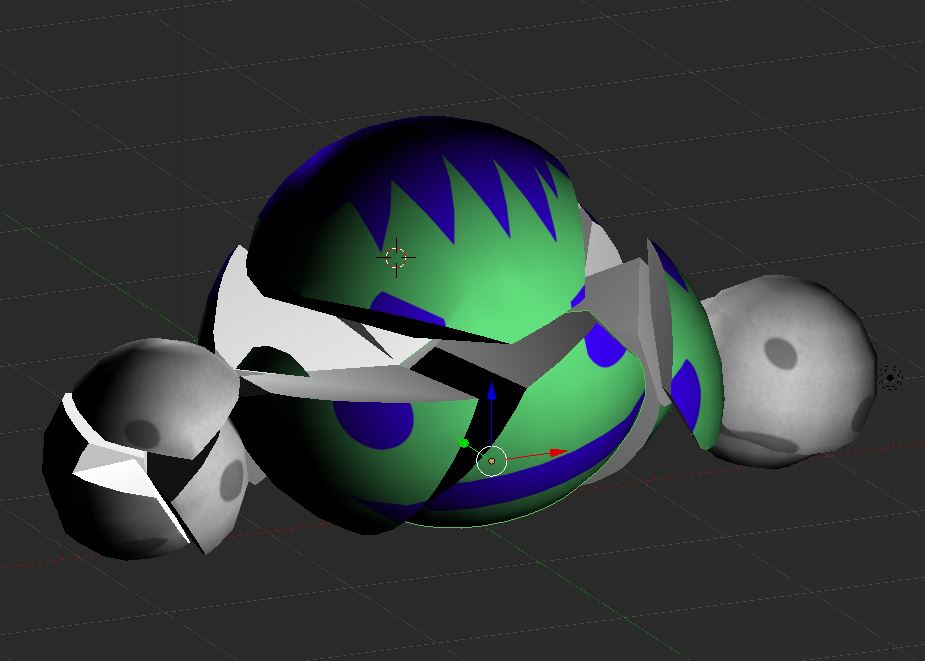
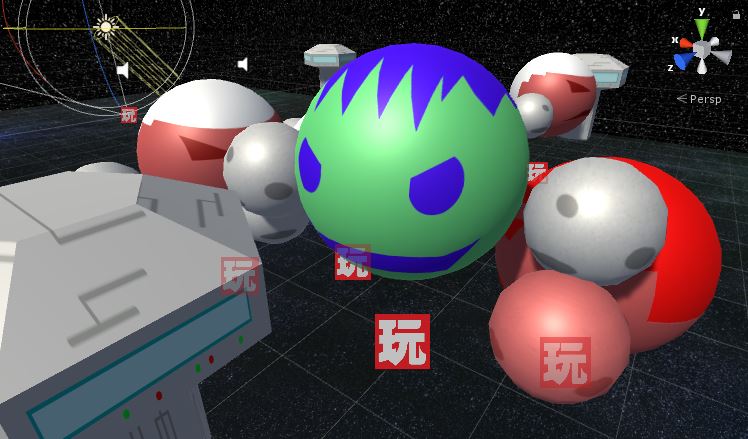
For the player’s character, I decided to make it green with blue for the facial features and hair.  I tried adding a nose to my character by modifying the mesh in Blender, but then it really didn’t look like planet so I kept the original sphere shape.  I think Joe was the one who suggested using moons for punching, which I think turned out well.  I modeled the planet character and animated the moon punching in Blender.  I tried keeping the planet and two moons as separate objects in Blender, but that caused problems when importing into Unity, so I combined the three meshes into one, with three bones in the armature.  I created an idle animation and a punching animation.  I assigned one capsule collider to the planet character, and then a sphere collider to the moon used for punching.  Unfortunately, this means that the moon “fist” collider has to be reassigned whenever the model is re-imported into Unity.  I haven’t found a good way around this yet.

The enemies are similar to the player’s character, except they have a different texture.  I tried making them look like Mars, with white hair to look like the northern ice cap of Mars.  I made it so that each enemy could be destroyed with one hit.  I had planned on having multiple enemies with varying levels of health, so that some would be more difficult to defeat than others.  I also hoped to have a boss planet character, that would need to be defeated in order to clear the level.  I ended up just having a counter for the total number of enemies and the player just needs to defeat all of the enemies to clear the level.  I also wanted to have life bars displayed for each of the enemies, but time ran out before I could add that feature.

The movements of the player and enemies were handled with Playmaker addon for Unity.  The enemies continually check to see if the player is a certain distance away.  Once the player is close enough, then the enemy will move to the player’s location.  When the enemy reaches the player’s location, it will start attacking.  After each attack, it will check to see if the player is still in range, and move toward the player again if the player has moved away.  Both the player and enemies bob up and down, which I think turned out well.  It gives a bit of liveliness to the characters.  I had to manually write the turning code myself, since the default rotation was not always in the direction that I wanted.  I always wanted the player to rotate with the front facing towards the camera, so I had to take that into consideration in my rotation code.

I used the Blender Cell Fracture plugin again for making the planets explode.  I put the explosion animation in a separate prefab.  When an enemy is defeated, the enemy GameObject is destroyed, then an enemy explosion prefab is instantiated which plays the death sound effect along with playing the cell fracture animation.  The one problem I still have with the Cell Fracture plugin is that you can’t define what the inner parts of the exploded object look like, so it just appears to be random parts of the texture.  There are lots of options for the plugin, so I probably just need to look into it some more.

I used Audacity again for the sound effects.  I didn’t try anything really experimental this time.  I used the pitch modification to lower my voice and added a little bit of an echo.  I used an envelope for the punch swipe sound.  The one thing that I find frustrating with Audacity is that I think it should make the folder of the file that you opened the default when saving or exporting the modified file, because it wastes a lot of time having to dig through the directory tree to find your sound effect folder each time.  However, it is a free tool so I can’t complain.  The Audacity source code is also on GitHub, so I could actually change this if I really wanted.

The music was composed in GarageBand on my MacBook Pro, as I have done in previous competitions.  Again, I used my regular process of making a couple of melodies, then I changed up the instruments and made slight modifications and mixed the melodies together.  I also made a slower version with fewer instruments for the title screen.

I made the starfield background using a tutorial that I found years ago when making my Earthball pinball game.  I changed it up a bit to suit my needs.  I left out the supernova stars to create a skybox background.  I learned that the skybox settings are hidden in the Window Lighting settings, and it is specific per scene.  I had to change the Environment Lighting Source to a solid color, since the starfield skybox source made everything too dark.  I put two stars down as a guide on the ground texture for the bounds for where the player can move.

The game world is composed of a number of “blocks”, similar to a street block.  Each block has three enemies, which are somewhat randomly placed.  There are two starport type objects, which I modeled and texture mapped in Blender at the last minute, which also form the bounding area of where the player can move.  I had envisioned that these would be destructible and produce items, similar to the trash cans in Final Fight.  The level could be improved by having an invisible wall that prevents the player from proceeding until all of the enemies on a block are defeated.  I have a case statement that does add an invisible wall before the first block and after the last block to prevent the player from falling off of the ground.

I am happy with the game that I made for this Ludum Dare competition, but I don’t feel like I learned or tried anything new.  There are definitely things that I want to fix and enhance in this game.  However, after three back-to-back game jams I’ve decided to take a break for a little while.  I think I want to try a new game engine or new modeling tool next time.

Free the Frog – Developer log

Ludum Dare 37 was the twelfth time that I competed in the 48 hour game development competition.  I wanted to create something with gameplay similar to the classic arcade game Frogger.

Free the Frog
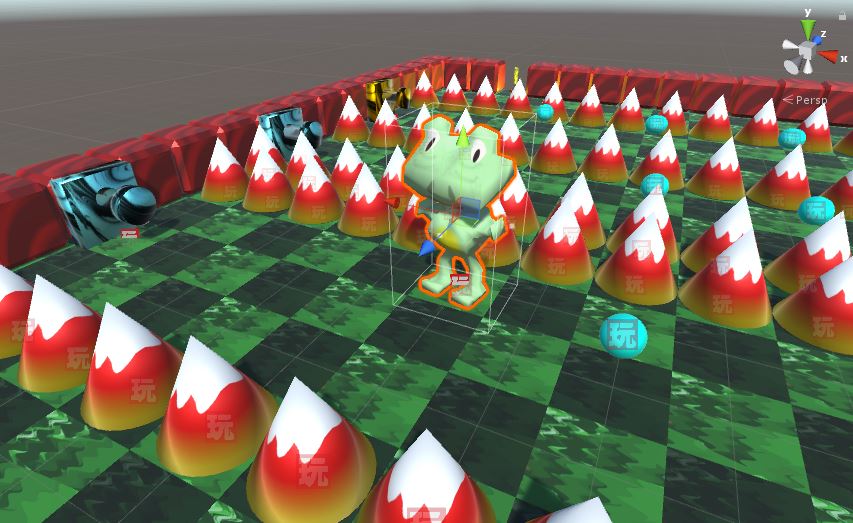
Free the Frog in Unity editor

The trick with this game was getting the movement controls right.  I wanted to make it so that you could press the gamepad in a direction, and the frog would immediately move to the next “square”.  Therefore, the movements were discrete, so I could not use my typical methods for doing continuous movement.  The area where the player can move can be thought of as a big chess board.  When a direction is pressed, the frog’s location (a row and column stored as integers) is updated.  Then, the frog is pulled to that new location.  I had to add a boolean variable to track if the frog is moving, so that no new input is accepted until he reaches his destination.  This type of movement is great for a game like this, because the player can clearly see if they will avoid an obstacle, which eliminates any case for bad collision detection.

I wanted to have a lot of mechanics in this game, which have been lacking in my previous game jam games.  I wanted each level to introduce something new.  I got this idea from watching Super Mario Bros 3 videos a few days earlier, where each level had some new mechanic or concept added.

  • The first level just introduces the player to the game, so the player just has to maneuver around the board to reach the exit.
  • The second level introduces the guns, which is the first time that the player can actually lose a life.  The guns only shoot one bullet at a time and can be easily dodged.
  • The next level reuses the gun that I created, but this time it shoots three bullets in a row.  It’s a nice way to create a new obstacle with minimal development effort.  Using Playmaker makes altering the standard gun relatively simple.
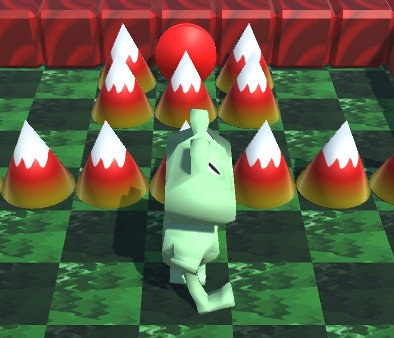
  • The next obstacle introduced is the spikes.  I think the first spikes may be a little unfair, because they start hidden and pop up right as the player is moving through the game level.  If the player looks closely, they can see the tip of the spike when it is down, but maybe there should be some other visual cue.  I used a simple Blender cylinder and moved the vertices at one end together to create a cone.  I used Playmaker to move the spike up and down, waiting for a few seconds after each position transition.  The frog is killed when it collides with the collision box around the spike.

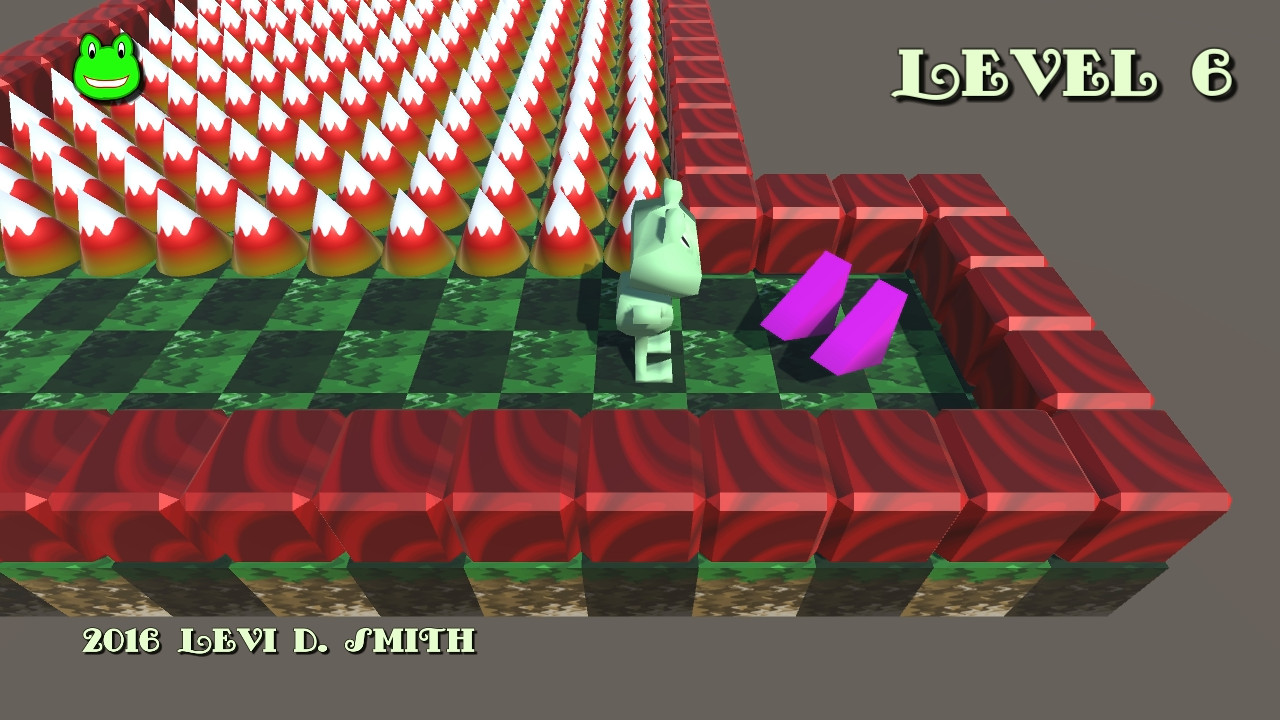
    Free the Frog
    Moving spikes surrounding a warp area
  • There is one beneficial power-up in the game.  I think one of the flaws of the game is that there are too many negative obstacles at the beginning, and not enough things to benefit the player.  The speed booster power-up decreases the amount of time that it takes to move to the next square.  I put a long row of spikes, which makes it necessary to use the speed booster to pass.  I used trail and error to determine how many spikes would be required in order to have to use the speed booster.  Unfortunately, only one level uses the speed booster power-up, so I would have also liked to use the speed booster in another level.
  • Another object that the player can interact with is the warp object.  I made it so that there are two varieties of warp points, one red and one blue.  The red warps to the other red point, and the blue warps to the other blue point.  On the first level with warps, I made it so that red warp is easily accessible and the blue warp is surrounded by spikes.  If the player takes the blue warp, then the exit is easily reachable.  If the player takes the red warp, then the exit is blocked by spikes.  It seems to be good game design to reward the player later if they choose the more difficult path first.
  • The remaining levels don’t introduce any new obstacles or powerups, but I tried to make them unique by using different obstacles together to make a unique challenge to reach the exit.  The seventh stage is probably the most difficult, where the player must move at the exact time to avoid the combination of gun bullets and spikes, which move at different rates.  However, I had to ensure that there was a small period when the path was passable, to ensure that the level could be completed.

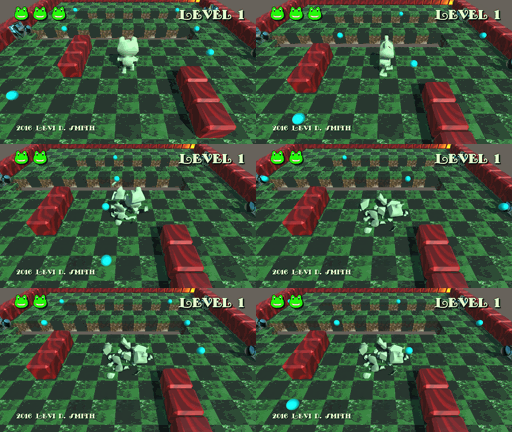
For the graphics, I used Blender as usual to model, texture map, and animate the frog.  However, when the frog dies, I used the cell fracture plugin for Blender to make an animation of the frog falling apart into pieces.  This effect is probably more suitable for non-organic objects, but I liked the effect so much that I had to include it in this game.

Free the Frog

As for the music, I used GarageBand on my Mac Book Pro again for composing the music.  I didn’t do anything really out of the ordinary.  I used the drummer track to lay down a unique beat.  I made a couple of melodies, which I alternated and swapped instruments.  Sometimes I would slightly modify and mix the melodies to keep the music interesting.  The music for the game level is one minute and twenty eight seconds, which I think is the right length for it not to be too repetitive.  I did a few quick searches for classic game level songs, and most songs seem to be around 90 seconds to two minutes before they loop.

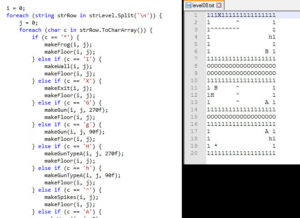
Level parsing code and example level

As I did for my last Ludum Dare game, I used text files for storing the level layouts.  Each character in the file represents either an object, obstacle, powerup, warp area, exit, or starting position.  The text files are assigned to TextAsset objects in Unity, and then parsed in my game code using the Split and ToCharArray methods.  The text files are stored in the Resources folder in the Unity project, which makes them accessible to the C# script.  One issue was that I had to also encode the direction the guns were facing, because they could face either left or right.  Having a gun facing right on the right side of the room would be pointless.  Therefore, I used a capital letter if the gun is facing right and a lowercase letter if the gun is facing left.  Ideally, the game would have a level editor, which would store the level data more efficiently.  However, levels can be created and modified much more quickly by using a text editor, which is a big plus for a two day game jam.

Free the Frog

There were some things that could have went more smoothly while developing the game.  I forgot that when you call Destroy on an object, it doesn’t actually get destroyed until the next frame.  So trying to do a while loop to delete all children objects while the number of children is greater than zero will result in an infinite loop and crash Unity.  You would think by now Unity would give the option to break out of an infinite loop without crashing and losing all of your work since your last save.  There was actually a way to attach the process to the debugger in the IDE and set a breakpoint and mess around with the variables to get it unstuck, but that method is very convoluted and probably wastes more time than just restarting Unity and losing whatever progress you’ve made.  There is an editor script that automatically saves when you press play button that goes in the Editor folder, so I should remember to always add that script when creating a new project.

Free the Frog
Powerup to increase move speed

I didn’t care much for the Ludum Dare 37 theme “One Room”, so I made the story explain that the frog is stuck in one room.  When the frog reaches the quantum accelerator artifact, then he is warped to the same room in a different time and dimension, which is why the room changes every time.  I actually based the story on the opener from the 90’s television show Quantum Leap.  The idea of the room changing each time probably came from my years of playing Castlevania, where it’s the same castle in every game but configured differently for every game.

I have a few ideas on future additions to the game.  The bland gray background should be replaced, and it would be nice to have water filling in the empty areas around the blocks.  The individual squares could be replaced with lillypads that the frog can walk across.  The game could also benefit from more levels.  The models and texture maps for some of the obstacles, such as the guns and spikes, could be improved as well.